How to buy Hosting on GoDaddy in 2025
The next most crucial step in creating your website and establishing an online presence is hosting, after your domain. Here’s how to use GoDaddy to achieve that.
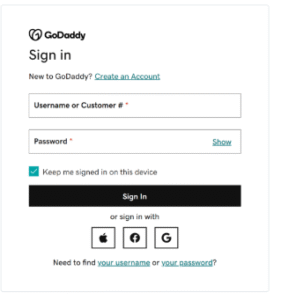
First, select the Login Dropdown menu.
This option is available on GoDaddy’s
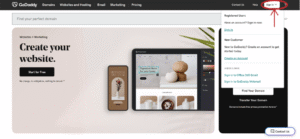
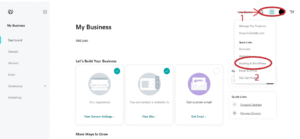
Third, select ‘Hosting & WordPress’.
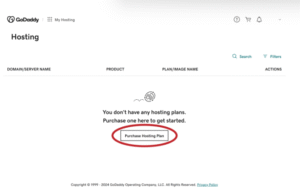
Choose ‘Purchase Hosting Plan’.
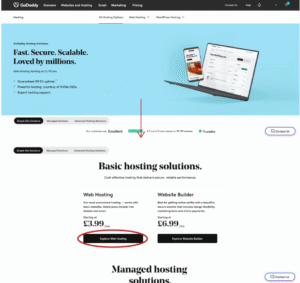
Go to ‘Simple Site Solutions’ by scrolling down.
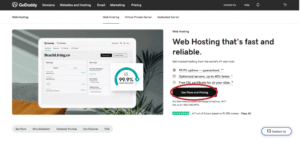
Choose “Explore Web Hosting” when you arrive.
Choose ‘See Plans and Pricing’.
Choose “Explore Web Hosting” when you arrive.
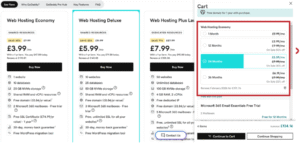
Choose a Strategy
For the majority of users, the Web Hosting Economy plan is advised.
Click “Purchase Now” after choosing a plan.
You can select a timeframe from the slideout menu that appears. You save more money if you choose a longer duration.
Click “Continue to Cart” once you’re finished.
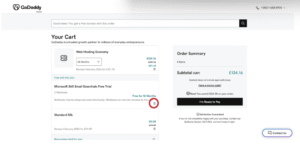
Choose what you want to put in your cart.
You can get a free SSL certificate and a Microsoft 365 trial from GoDaddy.
Purchasing Microsoft 365 straight from Microsoft will make management simpler. In this manner, you won’t have to do anything if you decide to leave GoDaddy in the future.
We advise using CloudFlare to obtain your SSL certificate. Along with some defense against brute force attacks, CloudFlare offers a free SSL certificate! You will need to subscribe to a paid plan for more comprehensive protection, but the free version is very amazing.
ChatGPT is one of the many well-known websites that CloudFlare protects worldwide.
Click I’m Ready to Pay after you’re finished.
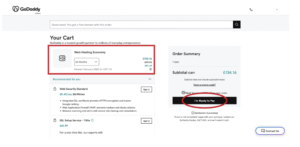
Pay the bill.
You can enter your card information and complete the purchase after selecting “I’m Ready to Pay.”
That’s it!
Cheers! Your account’s web hosting has been successfully configured.
Do you need to connect your hosting plan to your domain? Bring GoDaddy your website. Tell us, and we’ll assist you going forward.